


DVI-D Information
Origins of DVI
DVI, or Digital Visual Interface, was introduced in 1999 following the formation of the Digital Display Working Group (DDWG) in 1998. The DDWG's original mission was to create a standard digital video interface for communication between a personal computer and a VGA monitor. Over time, DVI was adopted across the consumer electronics industry in DVD players, set-top boxes, televisions, and LCD monitors.
What Is DVI-D?
DVI-D is the digital-only variant of the DVI connector. Unlike DVI-I, which carries both digital and analog signals, DVI-D omits the analog pins entirely. This makes it a purely digital connection that transmits video using TMDS (Transition-Minimized Differential Signaling).
Single Link vs. Dual Link
DVI-D connectors come in two configurations that differ in bandwidth capacity:
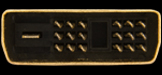
Single Link DVI-D uses 19 pins and a single TMDS link operating at up to 165 MHz. This supports resolutions up to 1920x1200 at 60 Hz, making it suitable for standard HD monitors and most everyday displays.
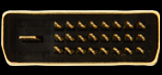
Dual Link DVI-D uses 25 pins and two TMDS links for a combined clock rate of up to 330 MHz. This doubles the available bandwidth and supports resolutions up to 2560x1600 at 60 Hz. Dual link cables are backwards compatible with single link connections, so if you are unsure which type you need, a dual link cable will work in either scenario.
To determine your required bandwidth, multiply your desired resolution by your desired refresh rate (e.g., 1600 x 1200 x 70 Hz = 134.4 MHz). If the result exceeds 165 MHz, you will need a dual link DVI-D cable.
Modern Context
DVI-D is gradually being phased out in favor of HDMI and DisplayPort, both of which offer higher bandwidth, audio support, and advanced features such as HDR. However, DVI-D remains common on older monitors, projectors, and graphics cards.
Connecting a DVI-D source to an HDTV or HDMI display is straightforward. Because both DVI-D and HDMI use the same underlying TMDS signaling for video data, a simple passive adapter or cable is all that is required. No active signal conversion is needed, which keeps adapters inexpensive and reliable.
| Side A | Cable / Adapter | Side B |
|---|---|---|
 |
DVI-D Single Link Cable | |
 |
DVI-D Dual Link Cable | |
|
DVI-D to M1 (P&D) Digital |  |
|
DVI-D to DFP | 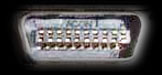 |
|
DVI-D to HDMI | 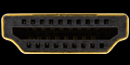 |
|
DVI-D to DisplayPort | 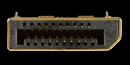 |
| Side A | Cable / Adapter | Side B |
|---|---|---|
|
DVI-D Male to DVI-D Female | 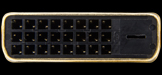 |
|
DVI-D Male to DFP Female | 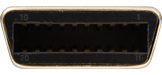 |
|
DVI-D Male to M1 (P&D) Digital Female | N/A |
|
DVI-D Female to M1 (P&D) Digital Male | |
|
DVI-D Female to DFP Male | N/A |
|
DVI-D Female to HDMI Male | |
|
DVI-D Male to HDMI Female |  |
|
DVI-D Female to DisplayPort | |
Last updated: